Your Samsung Jet 75 hangs on the wall, but the accessories are still scattered around the house. You want a solution, but which one? The Samsung standard wall mount, a DIY approach with hooks, or a custom-fit holder like KlickDok? In this article I honestly compare all three options on price, convenience, results and durability. So you can make the choice that suits you best.
In this article
The three options at a glance
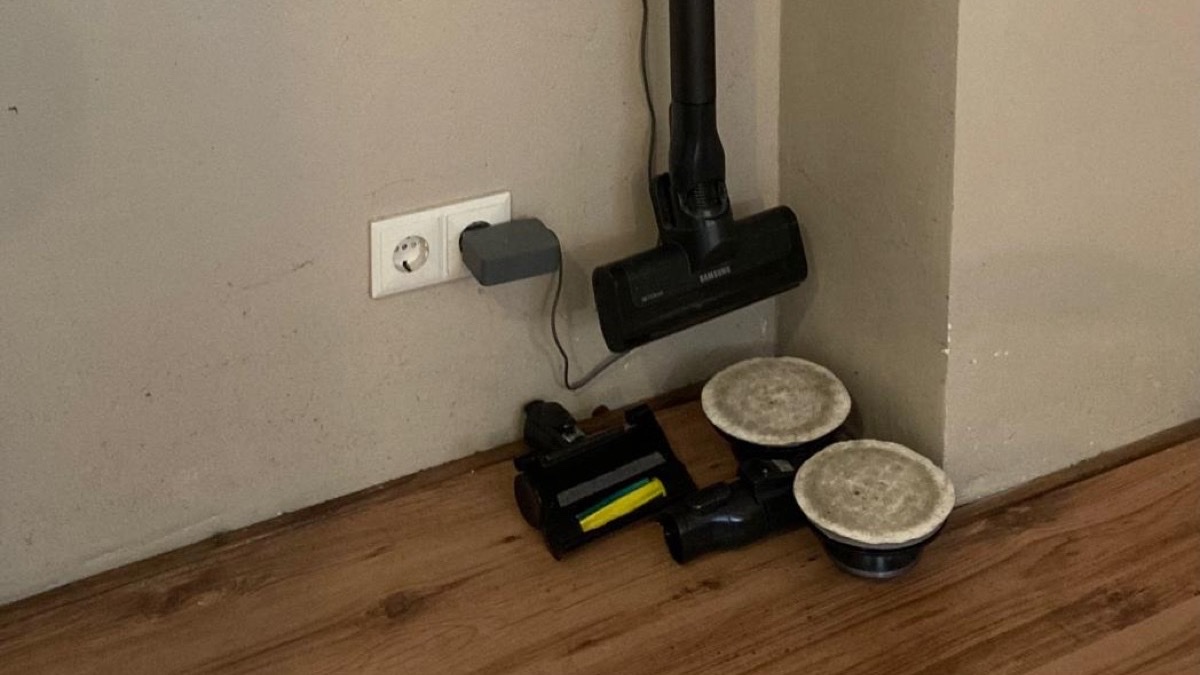
Anyone who owns a Samsung Jet 75 eventually faces the same question: where do I put the attachments? The vacuum itself hangs neatly on the wall, but the crevice tool, furniture brush and combination nozzle have no designated spot. The standard Samsung wall mount simply has no room for accessories.
There are three paths you can take. Each option has pros and cons. I'll go through them one by one.
Option 1: Samsung standard wall mount
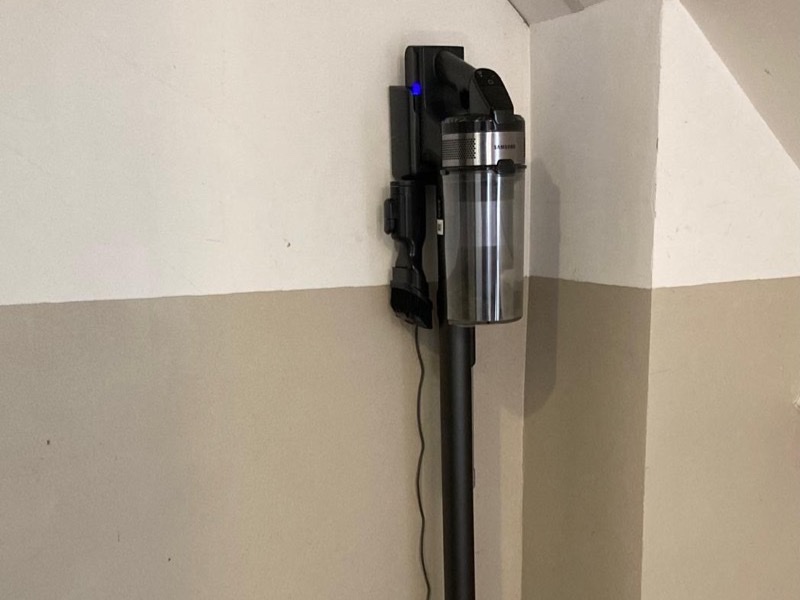
The wall mount Samsung includes is designed for the vacuum body. Nothing more, nothing less. The wand clicks in, the vacuum hangs compactly on the wall. It looks sleek and does exactly what it's supposed to.
But there is no room for accessories. Samsung's own solution for that is the Clean Station — a separate product costing between €100 and €200 that takes up floor space. Not every version includes an accessory compartment, either.
Advantages
- Free — included in the box
- Sleek design that matches the vacuum
- Simple wall installation
Disadvantages
- No room for accessories
- Clean Station as an alternative is expensive and takes up space
- Accessories end up in a drawer or cupboard — out of sight, out of use
Option 2: DIY with hooks or universal holder
The most popular DIY approach: a few screw hooks from the hardware store, Command strips or double-sided tape. Some people print a universal holder from Thingiverse or Printables. Cost: a few euros to free if you already have hooks at home.
It works — up to a point. Hooks hold the accessories in place, but not securely. The attachments have no standard hanging point: the crevice tool is narrow and smooth, the furniture brush wide and irregular in shape. With hooks that aren't custom-sized, the parts regularly fall off.
Universal 3D-printed holders
On Thingiverse and Printables you'll find dozens of universal vacuum holders. The problem: they're designed to fit multiple brands, so they don't fit any brand precisely. The Samsung Jet 75 accessories wobble, don't click into place and hang crooked. The difference between "fits" and "fits perfectly" is bigger than you'd think.
Advantages
- Cheap (from a few euros)
- Immediately available — a quick trip to the hardware store
- Maximum freedom in placement
Disadvantages
- Accessories fall out or hang crooked
- Doesn't look clean next to the Samsung wall mount
- Takes time to figure out and install
- Universal holders don't fit Jet 75 attachments precisely
- Command strips come loose on some wall surfaces
Option 3: KlickDok — custom-fit holder
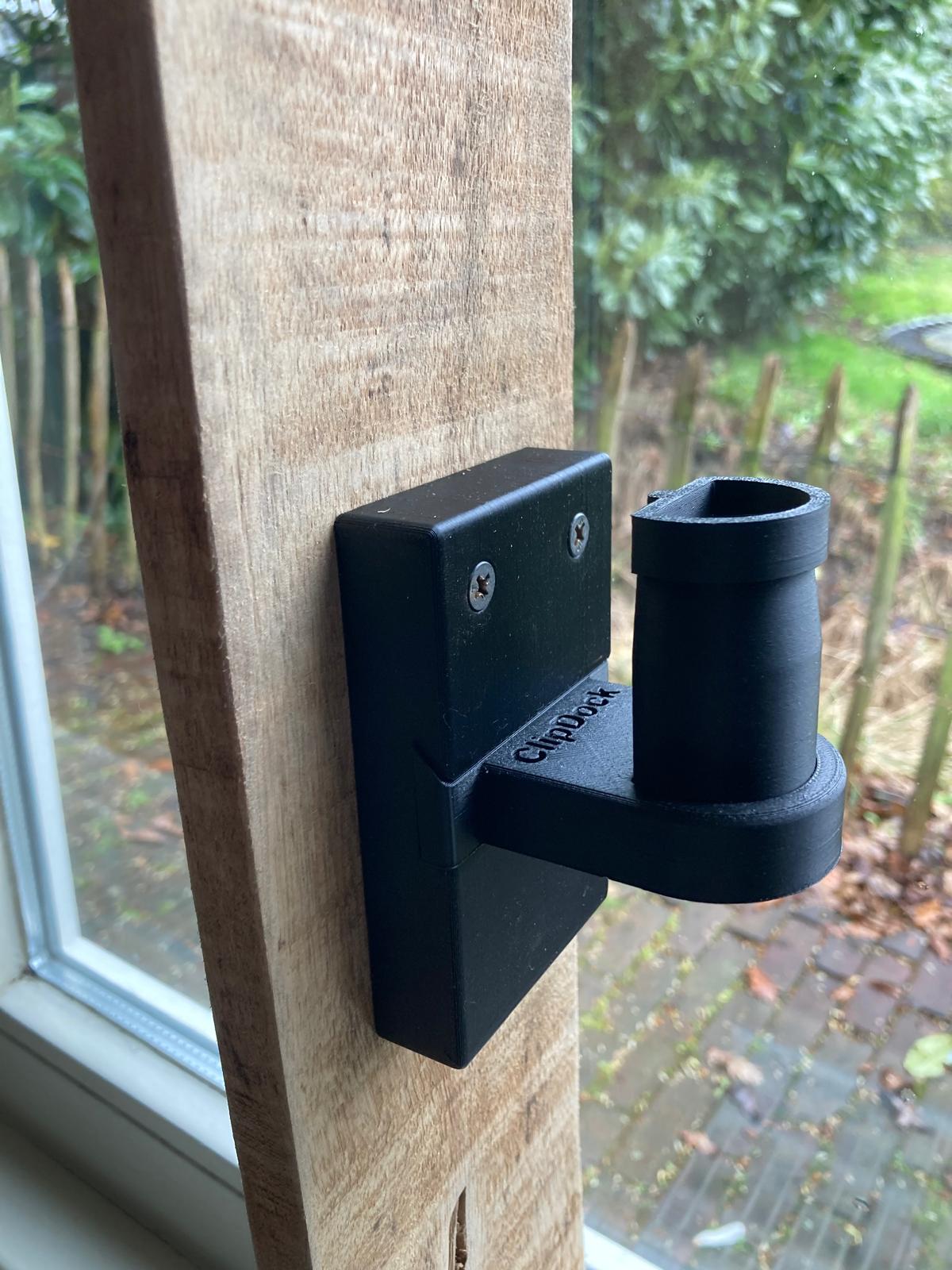
KlickDok is a 3D-printed wall mount I designed specifically for the Samsung Jet 75E Pro accessories. Every click mechanism is matched to the exact dimensions of the crevice tool, furniture brush and combination nozzle. After extensive research into all storage solutions I decided to build one myself that fits to the millimetre.
The accessories click into the holder and stay put — even if you bump into them. KlickDok fits right next to the existing Samsung wall mount and is installed in 5 minutes with one screw and one wall plug. See the installation guide.
Advantages
- Millimetre-precise fit for Samsung Jet 75 accessories
- Accessories click into place — won't fall out
- Sleek design that matches the Samsung wall mount
- Installation in 5 minutes
- Letterbox delivery — no need to be home
- Printed in the Netherlands, made to order
Disadvantages
- Costs from €19.95 (Single) or €29.95 (Duo), including VAT and shipping
- Only for Samsung Jet 75 series
- Delivery time: a few working days (printed to order)
Comparison table
| Samsung standard | DIY / hooks | KlickDok | |
|---|---|---|---|
| Price | Free (included) | €2 – €10 | from €19.95 |
| Accessory storage | No | Yes, but not secure | Yes, click fastening |
| Fit | Vacuum only | Universal / not custom | Exact fit for Jet 75 |
| Installation time | 5 min | 15 – 30 min | 5 min |
| Appearance | Sleek (without accessories) | Messy | Sleek, matches Samsung |
| Accessories fall out | n/a | Regularly | No |
| Shipping | n/a | n/a | Letterbox delivery, free |
When to choose what?
Choose the Samsung standard wall mount if you don't use the accessories often and don't mind them sitting in a drawer. The wall mount does exactly what Samsung promises: hang up the vacuum.
Choose DIY if you already have hooks at home and don't mind it not looking perfect. Fine as a temporary solution or if you want to experiment. Keep in mind you'll probably need to adjust things a few times before it works reasonably well.
Choose KlickDok if you want your accessories to hang just as neatly beside your vacuum as the vacuum itself. No fiddling, no accessories on the floor, just everything in its place. Install once, done.
Frequently asked questions
What is the difference between KlickDok and the Samsung standard wall mount?
The Samsung standard wall mount only holds the vacuum itself. KlickDok is a separate wall mount specifically designed for the accessories (crevice tool, furniture brush, combination nozzle). You install KlickDok next to the Samsung bracket so everything hangs together.
Can I make my own holder for Samsung Jet 75 accessories?
Yes, with hooks from the hardware store or 3D-printed universal holders from Thingiverse. The downside: universal solutions don't fit the Samsung Jet 75 attachments precisely. The accessories wobble, fall out or hang crooked. A custom-fit holder like KlickDok prevents that.
Is KlickDok worth it compared to DIY?
That depends on your priorities. DIY is cheaper (from a few euros) but costs time and the result is less polished. KlickDok starts from €19.95 (Single) or €29.95 (Duo), fits to the millimetre, clicks into place and looks professional next to the Samsung wall mount.
Does KlickDok fit all Samsung Jet 75 models?
KlickDok is designed for the Samsung Jet 75E Pro and fits the standard included accessories: crevice tool, furniture brush and combination nozzle. Other models in the Jet 75 series use the same accessories and are therefore also compatible.
Done comparing? KlickDok was designed for exactly this problem: accessories that don't fit anywhere. Millimetre-precise, installed in 5 minutes.